Released CAESES 4.0
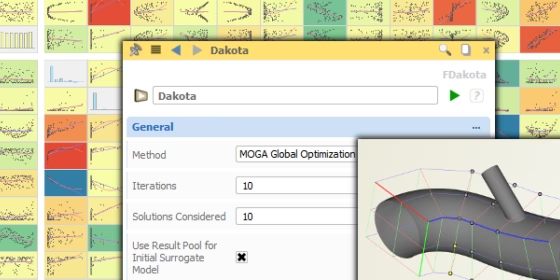
FRIENDSHIP SYSTEMS has released version 4.0 of its upfront modeling and optimization software CAESES® and CAESES Free.
Simple, Clear, Wonderful!
With version 4.0, “CAESES®/FRIENDSHIP-Framework” is now simply called CAESES®. Along with the new brand we also introduce new logos and new corporate colors, as well as a redesigned graphical user interface. We at FRIENDSHIP SYSTEMS are sure that you will really love it!
Make the Difference — Quick!
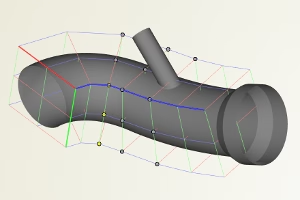
The new “Free Form Deformation” capabilities of the pro edition of CAESES® allow you to quickly and intuitively apply shape modifications to your existing geometries. You can choose from a set of various operations that are applied to your geometry data (e.g. surfaces & volume meshes) in a user-defined 3D range that are specified by flexible boxes. This perfectly complements the great parametric modeling power of CAESES® and makes it the universal tool for any simulation-driven shape optimization task.
Hello Dakota!
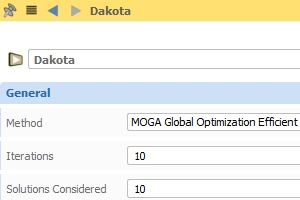
Driven by several customer requests, CAESES® now comes with direct and seamless access to the free optimization toolkit Dakota. You can choose from a set of pre-configured methods such as sensitivity analysis and response surface based optimizations. Furthermore, you can readily load your own customized Dakota input files into CAESES® to run Dakota with your preferred strategies. The entire powerful method set of Dakota can be accessed and managed through CAESES® — what a nice symbiosis… check out this short video.
Amazing Charts!
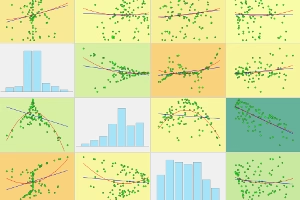
For all our variation and optimization strategies (i.e. not only for Dakota) a new widget has been introduced that shows a dynamic matrix of charts for visualizing trends and correlations. With these new colorful charts, you immediately get a good overall picture of the effects of your design variables and the status of your current run process. The charts are updated after each iteration, and designs can also be interactively picked from the resulting charts.
Even Greater Blade Designs!
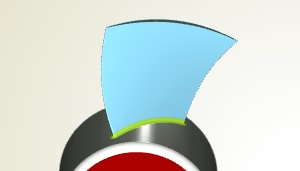
We really love blades! Hence, with version 4.0, we’ve spent a lot of energy to further improve the quality and the generation time of your modeled blade shapes. The entire design process — starting with a smart parametric profile, up to your fully parametric and variable 3D blade shape — has been reviewed to give you the very best and most flexible blade design tool in the CFD community. Read more about centrifugal and axial blade design.
Make the Best Out of Your Time!
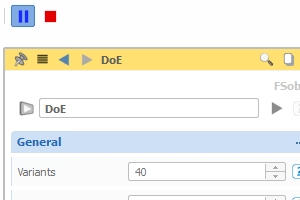
Simply pause your studies and optimization runs when closing a project — the run will now be continued as soon as you open up the project again. Furthermore, if you use the SSH resource manager of CAESES®, you can hand over the optimization task to this manager and close your project. The resource manager then continues the run and sends back all of the requested data when you open your project again. While the resource manager is taking care of everything, you can either work on other CAESES® projects, or simply dive into the weekend. There is also a first version of new notifications that can be automatically sent from running design engines to your email address — or even to your mobile phone via push messages (check out this post here).
What Else?
So many fantastic new things have happened in version 4.0! All details and changes can be found in our changes log: