New Video for Volute Modeling
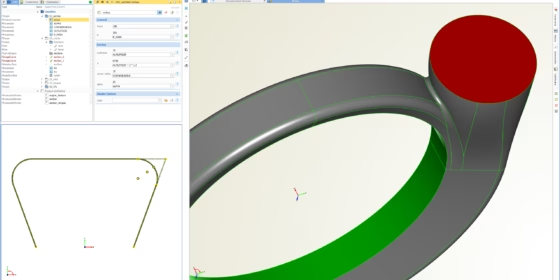
We have a new video that gives you a very brief introduction to the basic concept of volute modeling in CAESES®. The main idea is that, first of all, a 2D cross section is parameterized by the user. Any kind of 2D section is possible, there are no limitations. The final custom section from a user with individual 2D parameters is then swept in circumferential direction. For each 2D parameter, you can create a smart function graph in CAESES®, for instance, for the A/R parameter (this is a typical parameter in the volute modeling context) or circular fillets etc. Such a function graph provides an intuitive control and makes the entire volute highly efficient. Actually, it reduces the degrees of freedom within automated design studies and shape optimization, while giving a CFD engineer exactly the controls that are needed from a flow and performance point of view.
More Information
If you have a specific cross-section definition where you might need assistance in setting up a 3D volute model with CAESES®, then just get in touch with us. We have a lot of experience with intelligent volute models that are exclusively made for CFD engineers, e.g. designed with a closed and watertight surface representation, 100% robust, ready for meshing and simulation. Read more about volutes in CAESES®…