CAESES Push Messages and E‑Mail Notifications
CAESES® 4.0 comes with a fantastic new feature: A first version for sending push messages and status emails automatically to your mobile phone during design engine runs! No matter where you are, once your design engine is running, CAESES® keeps you up to date about the current status of your product studies and optimization runs. CAESES® users simply specify the type of information that should be sent automatically, as well as how often it should be sent. An example could be: “Send me the objective values after each 5th design”, and CAESES® takes care of it.
Note that this is only the beginning, a proof-of-concept so to say. In this first step our goal is to collect your feedback on this. Let us know what you think about it, and what kind of wishes you still have. With your input, we will make it an integral part for automated studies and optimizations with maximum ease-of-use. If you would like to test this new feature, simply follow the steps below. Enjoy!
How Does it Work?
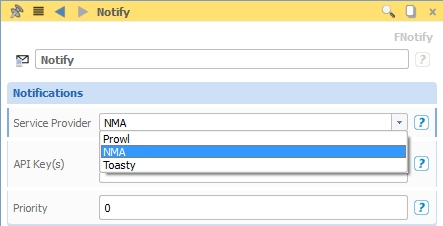
For push messages, create a new notifier by typing “notify()” into the console. Alternatively, type “mailer()” if you want to send emails. In the project tab of CAESES® (the small “P” tab in the upper left corner of the object tree), configure the notifier by choosing your service and enter your API key. CAESES® supports iOS (Prowl), Android (NMA) and Windows Phone (Toasty).
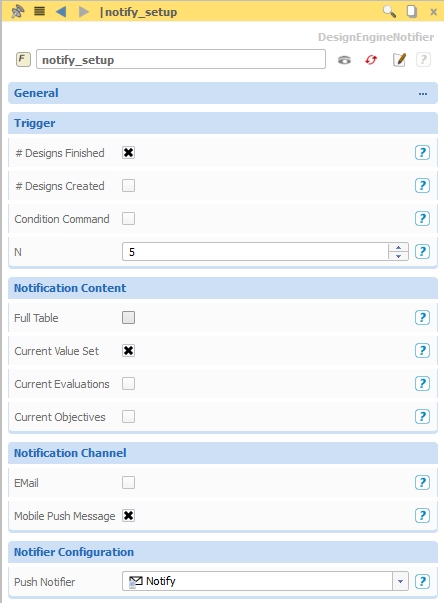
Create a new notifier setup via menu > features > tools > design engine notifier and configure it:
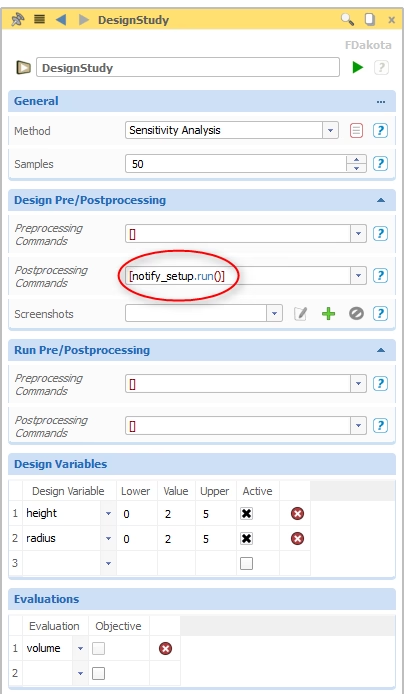
In your design engine, enter “notifier.run()” to the design post-processing commands:
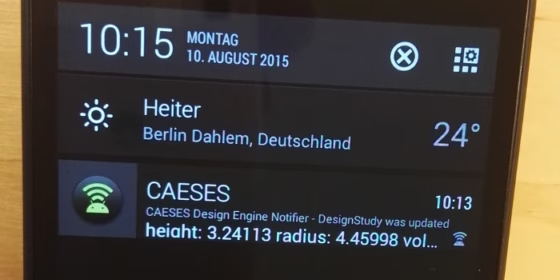
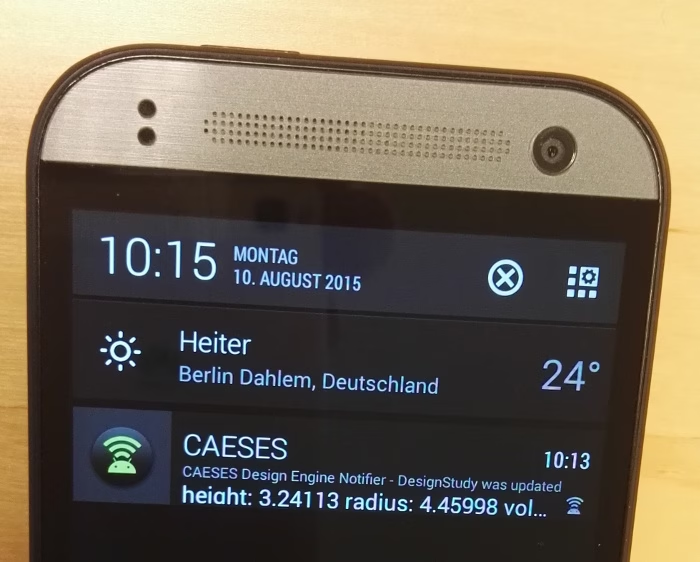
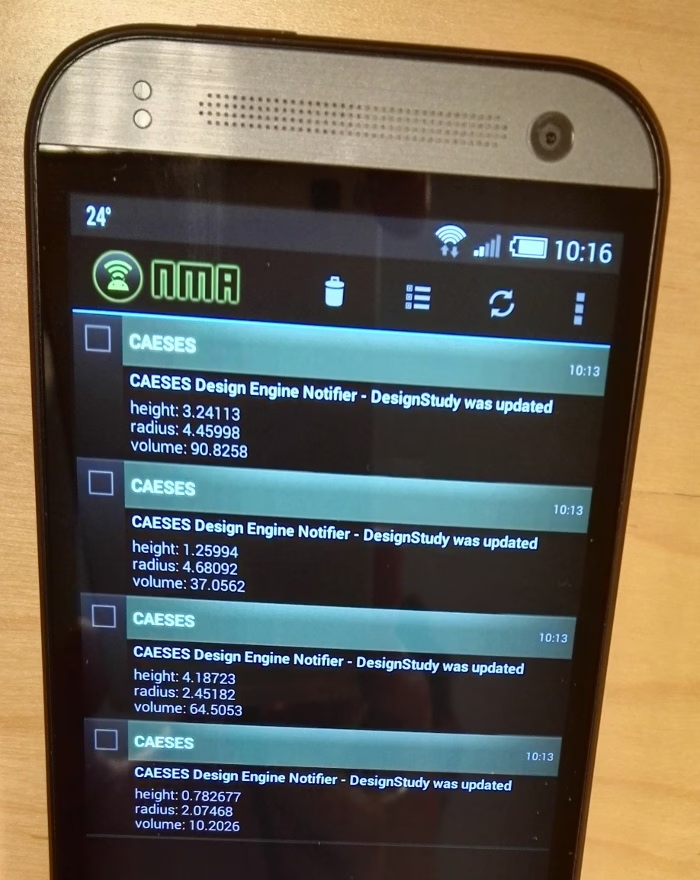
That’s it. For a running design engine in CAESES®, users of e.g. Android will then see the following notifications on their mobile phone:
CAESES Expert? Hang on!
A final remark for interested CAESES® users: Note that we use a feature for setting up the notifications. When you look into the definition of this feature, you’ll see how everything is set up, and you can fully customize and modify the content that is sent to your mobile phone (headers, formatting etc)! Play around with it, this is cool stuff — at least for some of us ;-)